
I wanted to make image folders on our family file server browseable and provide convenient image gallery features like index view, slideshow, etc.
The file server is on our home network and runs Debian GNU/Linux.
I installed webfs, configured it to use port 80 (instead of its default port 8000), added a symbolic link to the root folder of the image folders that I wanted to make browseable (/opt/data in my case) and restarted webfsd:
sudo apt install webfs
sudo sed 's/web_port=.*/web_port="80"/' -i /etc/webfsd.conf
sudo sed 's/web_root=.*/web_root="/var/www/html"' -i /etc/webfsd.conf
sudo sed 's/web_index=.*/web_index="index.html"/' -i /etc/webfsd.conf
sudo ln -s /opt/data /var/www/html
sudo service webfs restart
The name of the server is “bubba” and at this point pointing a web browser to http://bubba/ already worked, but it only showed a simple listing of file names like this:
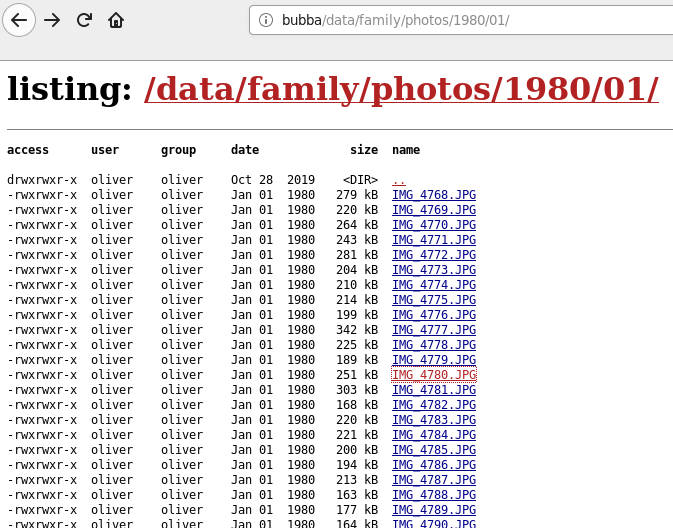
Next I installed the Slideshow Firefox add-on on all our computers, and now the image folder is presented like this:

Mission accomplished! 😀
 Oleander Donovan's IT blog