Install Epson Scan 2 on Debian

I use an Epson Perfection V600 Photo scanner. It has pretty good Linux support via the SANE standard.

But I could not find a satisfying scanner GUI app within the Debian distribution, and came across Epson’s own “Epson Scan 2”, which has a nice interface, recognized my scanner right away and does everything I need.

Unfortunately, the software does not have an easy-to-find website and documentation. That’s the main reason why I wrote this blog post, to hopefully save others some time.

Download and Installation

For a typical 64bit Intel x86 compatible PC or laptop, the “architecture’ on Linux systems is called “amd64” or “x86_64”. The package files used by Debian have the .deb filename extension.

Once the file is fully downloaded, open a terminal, cd to your Downloads directory and

# NOTE: adjust "6.7.80.0" to the version you downloaded
tar xvzf epsonscan2-bundle-6.7.80.0.x86_64.deb.tar.gz
cd epsonscan2-bundle-6.7.80.0.x86_64.deb

# NOTE: review the install script, run at your own risk
sudo ./install.sh

# try to start the application
epsonscan2

# if "libQt5Widgets.so.5" is missing, install it
sudo apt install libqt5widgets5

The application should now be installed and usable.

For example, on an XFCE desktop environment, it should show up in the “Graphics” section of the Applications system menu:

Use DMZ-Red mouse cursor as default

Find a download site for the DMZ-Red mouse cursor theme and download the tarball to ~/140570-Cursors.tar.gz.

Expand it under /usr/local and fix permissions :

sudo mkdir -p /usr/local/share/icons
cd /usr/local/share/icons
sudo tar xvzf ~/140570-Cursors.tar.gz
sudo chmod -R go-w DMZ-Red

Edit the *.theme files so that they look like this :

$ cat /usr/local/share/icons/DMZ-Red/cursor.theme
[Icon Theme]
Inherits=DMZ-Red

$ cat /usr/local/share/icons/DMZ-Red/index.theme 
[Icon Theme]
Name=DMZ (Red)

Link into /usr/share/icons :

sudo ln -s /usr/local/share/icons/DMZ-Red /usr/share/icons

Configure as system-wide default :

sudo update-alternatives --install /usr/share/icons/default/index.theme x-cursor-theme /usr/share/icons/DMZ-Red/cursor.theme 100

sudo update-alternatives --config x-cursor-theme

The last command should come up with a list of choices and a prompt similar to this :

There are 4 choices for the alternative x-cursor-theme (providing /usr/share/icons/default/index.theme).

  Selection    Path                                     Priority   Status
------------------------------------------------------------
* 0            /usr/share/icons/DMZ-Red/cursor.theme     100       auto mode
  1            /usr/share/icons/Adwaita/cursor.theme     90        manual mode
  2            /usr/share/icons/DMZ-Black/cursor.theme   30        manual mode
  3            /usr/share/icons/DMZ-Red/cursor.theme     100       manual mode
  4            /usr/share/icons/DMZ-White/cursor.theme   50        manual mode

Press <enter> to keep the current choice[*], or type selection number: 

In XFCE, the “Settings – Mouse and Touchpad – Theme” dialog should look like this :

Mount/unmount sshfs as network goes up/down

You can use sshfs to mount directories from a file server into your local filesystem. When client and server OS is Linux, this is usually simpler than cifs or nfs mounts.

You need ssh logins without password (using an ssh agent) and the sshfs package:

sudo apt install sshfs

I use two bash scripts to ensure automatic mounting and un-mounting as my network comes up or goes down, especially when using wifi :

Copy the scripts to the following paths (or create symlinks) and use chmod ugo+x to make sure they are executable:

  • /etc/network/if-up.d/mount-sshfs
  • /etc/network/if-post-down.d/unmount-sshfs

If you use NetworkManager you might have to enable and start its dispatcher service:

sudo systemctl enable NetworkManager-dispatcher.service
sudo systemctl start NetworkManager-dispatcher.service

On Debian there is a system script that automatically translates NetworkManager events to ifupdown events:

/etc/NetworkManager/dispatcher.d/01-ifupdown

With the dispatcher and the translater script in place, our mount/unmount scripts will be executed as desired.

User script

Every user who wants to use the mechanism we have set up so far needs to have a personal shell script at

$HOME/.sshfs/mount.sh

For each user, this script contains the sshfs invocations that the user wants to be auto-executed. It will be invoked automatically from /etc/network/if-up.d/mount-sshfs using the user’s permissions. Users who don’t need sshfs mounts, simply don’t create the file at all.

It is up to the individual user to create this file and make it executable.

Here is an example that works well with gnome-keyring as ssh-agent:

#!/bin/bash

# expose env vars for gnome-keyring ssh-agent:
export SSH_AUTH_SOCK="/run/user/$(id -u)/keyring/ssh"
export SSH_AGENT_PID="$(pgrep -f /usr/bin/ssh-agent)"

# if the ssh agent is running:
if [ -n "$SSH_AGENT_PID" ]; then
  sshfs -o idmap=user,ro bubba:/opt/data /home/oliver/hosts/bubba/data
  sshfs -o idmap=user tc: /home/oliver/hosts/tc
fi

We use an Excito Bubba/2 mini server that hosts shared storage for the whole family (bubba:/opt/data) and a little ThinkCentre server where I have a user account (tc:). I mount each of those server locations locally under /home/oliver/hosts.

I mount the shared storage read-only to prevent accidental data loss (-o ro) and my personal files as read-write (-o rw), with ownership mapping by username (idmap=user) to ensure that “oliver” on the server is mapped to the local “oliver”.

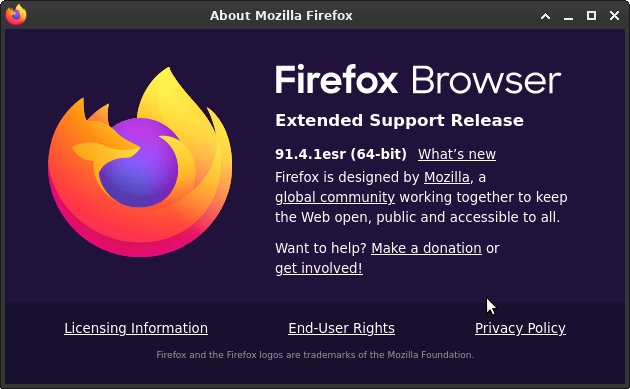
Firefox ESR 91 now in Debian stable

Until yesterday Debian “stable” came with Firefox ESR 78, a browser that has been unsupported by Mozilla since October 5, 2021. This lead to concerned discussions.

Now it was finally replaced by Firefox ESR 91, along with a security advisory urging users to upgrade, listing no fewer than 17 Common Vulnerabilities and Exposures (CVEs).

The delay was apparently due to toolchain issues with rustc, a compiler required to build Firefox from source code. Kudos to the package maintainers who worked hard to resolve these problems, which is tracked here!

I upgraded tonight:

$ sudo apt update; sudo apt upgrade
[..]
Get:1 http://security.debian.org/debian-security bullseye-security/main amd64 firefox-esr amd64 91.4.1esr-1~deb11u1 [58.7 MB]
[..]
Unpacking firefox-esr (91.4.1esr-1~deb11u1) over (78.15.0esr-1~deb11u1) ...
[..]
Setting up firefox-esr (91.4.1esr-1~deb11u1) ...

Besides the security fixes it looks like Mozilla has once again opted for further flattening the appearance of UI elements.

What else is new: https://www.mozilla.org/en-US/firefox/91.0esr/releasenotes/

PostgreSQL 13 and DBeaver CE on Debian

Install PostgreSQL 13 on a server:

sudo apt install postgresql-13

Create a PostgreSQL role and database for an existing OS user:

sudo -u postgres createuser --pwprompt oliver
sudo -u postgres createdb -O oliver oliver

Then make sure you have DBeaver CE installed on a client machine.

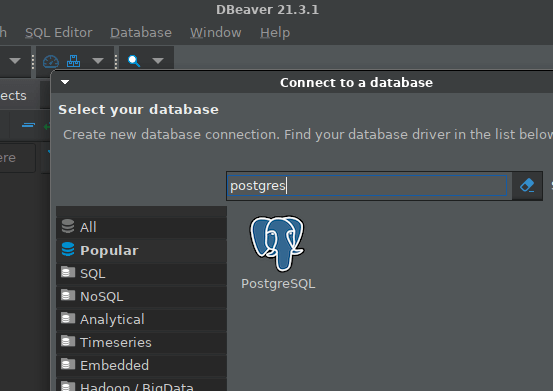
Create a connection from DBeaver to Postgres:

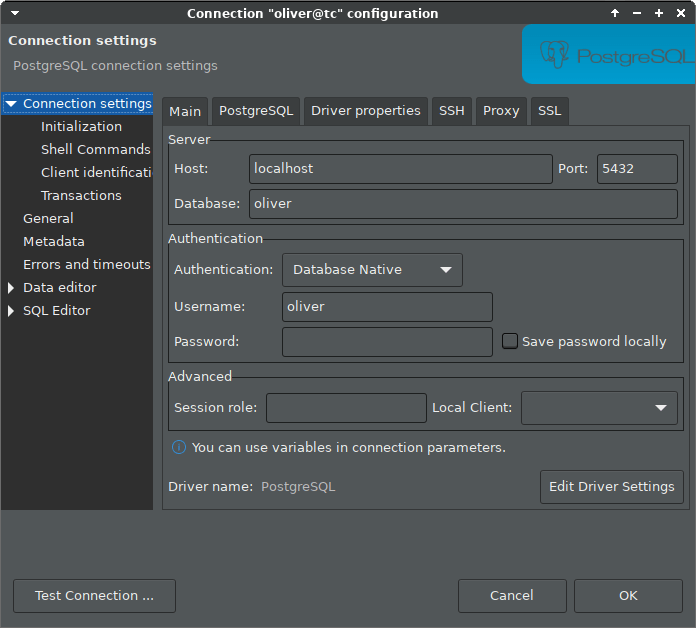
Configure authentication to database “oliver” via localhost, as we will use an ssh tunnel, and leave password empty:

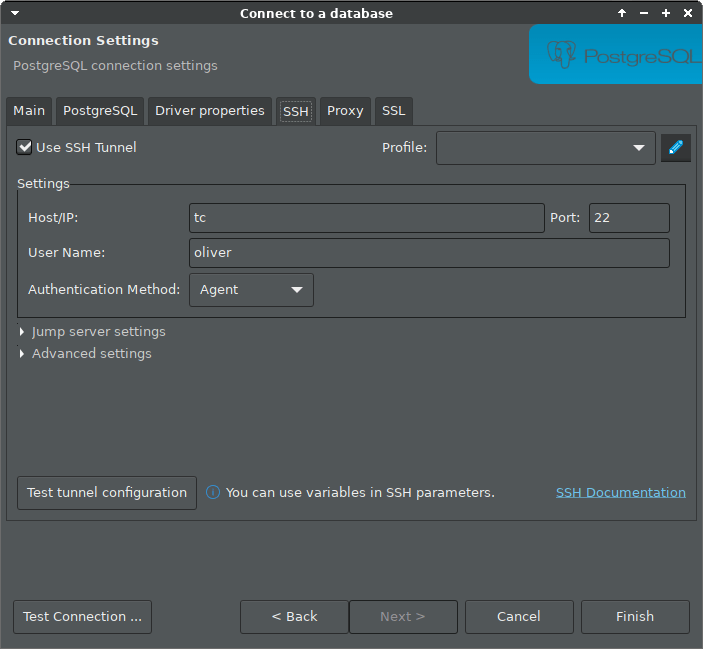
Configure ssh tunnel, for example if the server host is named “tc”. In the example we rely on a running ssh agent, which was explained in an earlier blog post.

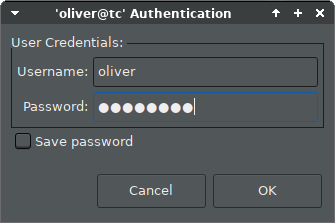
Then click “Connect” in the context menu of the new connection entry, and enter the password you assigned to the role:

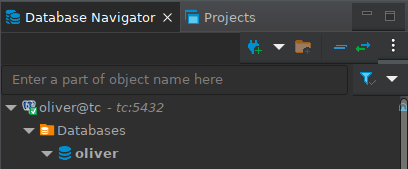
And you should be connected:

Safely install DBeaver CE on Debian

To install DBeaver CE (community edition) on a client machine using apt, we can add their apt repository to our apt source, but it is not recommended to add 3rd party keys to the global apt keyring. That’s why the whole apt-key command is actually deprecated.

For more background info, see https://wiki.debian.org/DebianRepository/UseThirdParty

So let’s download the DBeaver key and prepare it for safe use:

curl https://dbeaver.io/debs/dbeaver.gpg.key | gpg --dearmor > dbeaver.gpg
sudo mkdir -p /usr/local/share/keyrings
sudo mv dbeaver.gpg /usr/local/share/keyrings
sudo chown root.root /usr/local/share/keyrings/dbeaver.gpg
sudo chmod 400 /usr/local/share/keyrings/dbeaver.gpg

Then add the DBeaver repo to your apt sources with the proper signed-by annotation:

echo "deb [signed-by=/usr/local/share/keyrings/dbeaver.gpg] https://dbeaver.io/debs/dbeaver-ce /" | sudo tee /etc/apt/sources.list.d/dbeaver.list

And finally we can install DBeaver CE:

sudo apt update
sudo apt install dbeaver-ce

If all went well, you should now be able to run DBeaver from the “Development” section of your Applications menu.

Make lightdm look better

In Debian 11 the default lightdm login screen had two visual flaws:

  • The infobar content on top of the screen was not properly centered.
  • The generic user icon was some faint white thing.

I edited /etc/lightdm/lightdm-gtk-greeter.conf and added these two settings in the greeter section:

[greeter]
default-user-image=/usr/share/icons/Tango/scalable/apps/system-users.svg
indicators=~host;~spacer;~clock;~spacer;~power

For the icon to work the Tango icon theme is required. It is usually already installed. If not, run this:

sudo apt install tango-icon-theme

The icon looks like this:

Switch Debian 11 desktop-theme

I do not like the default Debian 11 Homeworld desktop theme at all.

Here is how to switch back to “futurePrototype” the default theme of Debian 10, but without displaying “Debian 10” anywhere:

sudo update-alternatives --config desktop-theme

Pick the /usr/share/desktop-base/futureprototype-theme.

Then to ensure we use the “nologo” background for the login manager:

sudo update-alternatives --install /usr/share/images/desktop-base/login-background.svg desktop-login-background /usr/share/desktop-base/active-theme/login/background-nologo.svg 100

Now you should see background-nologo.svg as the activated option for the desktop-login-background:

sudo update-alternatives --config desktop-login-background

The desktop-theme change also affects the background image of the grub boot loader, so we need to run this:

sudo update-grub

The next time we boot the system we should see background images from the configured theme for

  • Grub boot screen
  • Login manager (for example lightdm)
  • Desktop (for example XFCE)

Enter passphrase once at X login for ssh, scp, sshfs

I use ssh, scp, sshfs and x2go with key-based authentication, ie. not entering remote passwords when I connect. There are pros and cons of this, but I think it is more secure.

I use a non-empty passphrase but do not want to enter it on every connection. Once per X session is enough for me.

Here is how I set it up on Debian 11 (“bullseye”):

# do this once and set a good passphrase:
ssh-keygen
# then for each of your accounts on remote hosts:
ssh-copy-id username@otherhost

Configure ssh agent and ssh-add to run when your X session starts. I use the gnome-keyring service as agent:

sudo apt install gnome-keyring

In XFCE – Settings – Session and Startup – Application Autostart, I have two entries with trigger “on login” :

  • “SSH Key Agent (GNOME Keyring: SSH Agent)”
  • “ssh-add” – created by me, command: ssh-add

This setup will bring up a visual prompt for your ssh passphrase right after XFCE login. The default ssh-askpass looks quite ugly, so I installed a more modern one:

sudo apt install ssh-askpass-gnome

On Debian, that package sets itself as default ssh-askpass “alternative”. If in doubt , try this:

sudo update-alternatives --config ssh-askpass

The resulting prompt looks like this for me (“Adwaita Dark” theme):

After all this your ssh, scp, sshfs, x2go and other ssh based tools should be able to connect to your remote accounts without password prompts.

Update: I took convenience one step further and enabled “Launch GNOME services on startup” in the Advanced tab of Session and Startup in the XFCE setting, as described in the XFCE wiki.

This activates GNOME Keyring which “is integrated with the user’s login, so that their secret storage can be unlocked when the user logins into their session”. This means it will store your once entered ssh passphrase on disk, using your Linux login as the only secret that you still have to enter (as you log in as usual).

Hide window from taskbar

Some application windows are sort of “background noise” and you would usually not like to see them on your taskbar, i.e. on the panel item that shows a button for each application window. Often, applications like that support a “minimize to system tray” option, but some don’t.

In the latter case you might at least want to have a convenient way to hide those windows from your taskbar. I did the following on Debian stable:

Install the “wmctrl” package:

sudo apt install wmctrl

In my XFCE, I added a launcher to the panel, specifying the command:

wmctrl -r :SELECT: -b add,skip_taskbar

See “man wmctrl” for details.