Firefox ESR 91 now in Debian stable

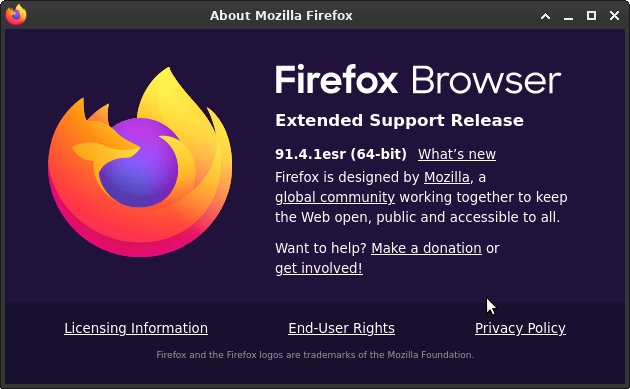
Until yesterday Debian “stable” came with Firefox ESR 78, a browser that has been unsupported by Mozilla since October 5, 2021. This lead to concerned discussions.

Now it was finally replaced by Firefox ESR 91, along with a security advisory urging users to upgrade, listing no fewer than 17 Common Vulnerabilities and Exposures (CVEs).

The delay was apparently due to toolchain issues with rustc, a compiler required to build Firefox from source code. Kudos to the package maintainers who worked hard to resolve these problems, which is tracked here!

I upgraded tonight:

$ sudo apt update; sudo apt upgrade
[..]
Get:1 http://security.debian.org/debian-security bullseye-security/main amd64 firefox-esr amd64 91.4.1esr-1~deb11u1 [58.7 MB]
[..]
Unpacking firefox-esr (91.4.1esr-1~deb11u1) over (78.15.0esr-1~deb11u1) ...
[..]
Setting up firefox-esr (91.4.1esr-1~deb11u1) ...

Besides the security fixes it looks like Mozilla has once again opted for further flattening the appearance of UI elements.

What else is new: https://www.mozilla.org/en-US/firefox/91.0esr/releasenotes/
Safely install DBeaver CE on Debian

To install DBeaver CE (community edition) on a client machine using apt, we can add their apt repository to our apt source, but it is not recommended to add 3rd party keys to the global apt keyring. That’s why the whole apt-key command is actually deprecated.

For more background info, see https://wiki.debian.org/DebianRepository/UseThirdParty

So let’s download the DBeaver key and prepare it for safe use:

curl https://dbeaver.io/debs/dbeaver.gpg.key | gpg --dearmor > dbeaver.gpg
sudo mkdir -p /usr/local/share/keyrings
sudo mv dbeaver.gpg /usr/local/share/keyrings
sudo chown root.root /usr/local/share/keyrings/dbeaver.gpg
sudo chmod 400 /usr/local/share/keyrings/dbeaver.gpg

Then add the DBeaver repo to your apt sources with the proper signed-by annotation:

echo "deb [signed-by=/usr/local/share/keyrings/dbeaver.gpg] https://dbeaver.io/debs/dbeaver-ce /" | sudo tee /etc/apt/sources.list.d/dbeaver.list

And finally we can install DBeaver CE:

sudo apt update
sudo apt install dbeaver-ce

If all went well, you should now be able to run DBeaver from the “Development” section of your Applications menu.

How I manage my website logins (using Firefox)

This blog post describes how I manage my many website logins (usernames, passwords). I am very interested in how I can improve my current approach. I want it to be highly secure and highly convenient. Please feel free to add your comments and suggestions!

I try to use secure passwords for all of my web accounts, i.e. long random combinations of “special characters”, mixed case letters and numbers. They are usually so secure that I definitely cannot remember them.

So I let my web browser remember, manage and auto-fill my website logins. I use

The approach works well and I never have to memorize my passwords. But my worries are:

  • Is Firefox Sync data as secure as Mozilla claims it is?
  • What can happen if malicious hackers gain access to the Firefox Sync servers?
  • Is the Triple-DES encryption with cipher block chaining that is allegedly used for local password storage in the Firefox profile secure enough (especially given this long-standing bug)?
  • Is it a bad idea to let Firefox even remember my online banking, Paypal and other sensitive passwords?