Server folder as photo gallery in web browser

I wanted to make image folders on our family file server browseable and provide convenient image gallery features like index view, slideshow, etc.

The file server is on our home network and runs Debian GNU/Linux.

I installed webfs, configured it to use port 80 (instead of its default port 8000), added a symbolic link to the root folder of the image folders that I wanted to make browseable (/opt/data in my case) and restarted webfsd:

sudo apt install webfs
sudo sed 's/web_port=.*/web_port="80"/' -i /etc/webfsd.conf
sudo sed 's/web_root=.*/web_root="/var/www/html"' -i /etc/webfsd.conf
sudo sed 's/web_index=.*/web_index="index.html"/' -i /etc/webfsd.conf
sudo ln -s /opt/data /var/www/html
sudo service webfs restart

The name of the server is “bubba” and at this point pointing a web browser to http://bubba/ already worked, but it only showed a simple listing of file names like this:
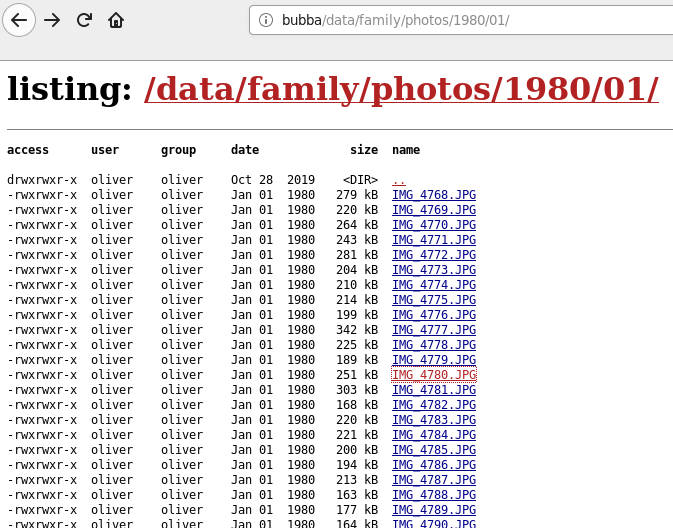
Next I installed the Slideshow Firefox add-on on all our computers, and now the image folder is presented like this:

Mission accomplished! 😀


Stay safe on the web using Firefox and these add-ons

First get Firefox then use it to access the links below and install the respective add-ons.

uBlock Origin” by Raymond Hill
Efficient ad-blocker. Easy on CPU and memory

Privacy Badger” by EFF
Automatically learns to block invisible trackers

HTTPS Everywhere” by EFF
Enforces HTTPS encryption whenever possible, even when opening plain http links

Flagfox” by Dave G
Displays location country flag for current website, site safety check, whois lookup

Decentraleyes” by Thomas Rientjes
Prevents content delivery networks (CDN) from tracking you

Facebook Container” by Mozilla
Prevents Facebook from tracking you around the web

Viewport meta tag for better page rank in mobile Google search

Algorithm changes are rolled out to Google’s data centres to let mobile-friendly web pages get higher ranking on Google Search. Some sensationalist news outlets call this “mobilegeddon“. I think it is much ado about very little.

Google provides a mobile-friendly test and at first odoepner.github.io did not pass.

So I learned about the viewport meta tag and after adding the following to the head section of my html pages they now pass the test:

<meta name="viewport" 
      content="width=device-width, initial-scale=1.0, user-scalable=yes"/>

About the viewport meta tag

180x130_viewport-meta-tag

The “viewport” meta tag is not part of the official HTML standard, but the validator at the W3C will still accept your pages as valid.

The tag was initially introduced by Apple Safari, but is now widely supported by most mobile web browser. As of spring 2015 Microsoft IE for Windows Mobile is the main exception: It requires some vendor-specific CSS.

Non-mobile web browsers typically just ignore the tag, which is fine because the whole “viewport” concept only makes sense for the relatively small screens of mobile devices.

Lacking a standard definition, for now the best specs are the respective web developer pages at Apple, Mozilla and Google.

Responsive accessible web design

Please note: Passing the Google test is nice for your page ratings, but truly “responsive” web design that works well on all browsing devices requires more effort, as this article on html5rocks.com explains quite well.

And of course, all supporters of an open, inclusive web should always ensure the accessibility of their site, for everyone regardless of disability.